

Key Takeaways
Mbps (Megabits per second)
Mbps stands for megabits per second - a unit that measures how fast data moves between your devices and the internet. A higher number means more data can travel in a given second, which generally translates to faster loading, smoother streaming, and quicker file transfers. It is the standard figure ISPs use when advertising internet plan speeds.
One megabit equals 1,000 kilobits or roughly one-eighth of a megabyte. Because internet speeds are measured in bits and file sizes are measured in bytes, a 100 Mbps connection downloads approximately 12.5 megabytes of data per second under ideal conditions.
Download Speed: The Number ISPs Lead With
When an ISP promotes a plan as "200 Mbps" or "Gig speed," it is almost always referring to download speed - how quickly your connection pulls data from the internet to your devices. Every time you load a webpage, stream a show, join a video call, or update an app, you are primarily consuming download bandwidth.
General usage benchmarks offer helpful context. Standard-definition video streaming requires roughly 3-5 Mbps. HD streaming commonly needs 5-25 Mbps per stream, and 4K can require 25 Mbps or more per stream depending on the platform. Video conferencing typically draws 1-4 Mbps per active call. The practical implication: a household with four simultaneous 4K streams needs at least 100 Mbps just for those streams - before accounting for any other connected devices.
Keep in mind that advertised speeds represent theoretical maximums. As explored further in common ISP speed myths, "up to" language in ads allows considerable flexibility - real-world performance depends on your connection type, equipment, and local network conditions.
25 / 3 Mbps
FCC minimum broadband definition
The Federal Communications Commission defines basic broadband as 25 Mbps download and 3 Mbps upload - a threshold many advocates consider insufficient for current multi-device households.
~12.5 MB/s
Real data throughput at 100 Mbps
Because files are measured in bytes and speeds in bits, a 100 Mbps connection moves roughly 12.5 megabytes of data per second under ideal conditions - a useful conversion for estimating download times.
600+ ms
Typical satellite internet latency
Traditional geostationary satellite internet connections commonly exhibit latency exceeding 600 milliseconds, compared to under 20 ms for fiber - a gap that significantly affects real-time applications.
Upload Speed: The Overlooked Half of the Equation
Upload speed - how fast data travels from your device to the internet - rarely gets headline placement in ISP marketing, but it matters significantly for modern usage. Video calls, cloud storage backups, live streaming, and remote desktop connections all depend on solid upload performance.
Many cable and DSL plans are asymmetric, meaning download speeds far outpace upload speeds. A plan marketed as 300 Mbps download may deliver only 10-20 Mbps upload. Fiber connections are commonly symmetric or near-symmetric, which is a practical advantage for households where multiple people work or learn from home simultaneously.
Understanding the differences between internet service types - fiber, cable, DSL, fixed wireless, and satellite - helps clarify why upload speeds vary so widely between providers and plans.
Latency and Jitter: Speed Isn't Everything
Mbps only tells you how much data can move - not how quickly the connection responds. Latency, measured in milliseconds (ms), is the round-trip time for a data packet to travel from your device to a server and back. A low-latency connection feels snappy and responsive; a high-latency connection feels sluggish even when the raw speed is high.
Latency matters most for:
- Online gaming - where 20 ms and 200 ms latency produce dramatically different experiences
- Video calls - where high latency creates the awkward speech overlap familiar to satellite internet users
- Real-time collaboration tools - where delays accumulate and disrupt workflow
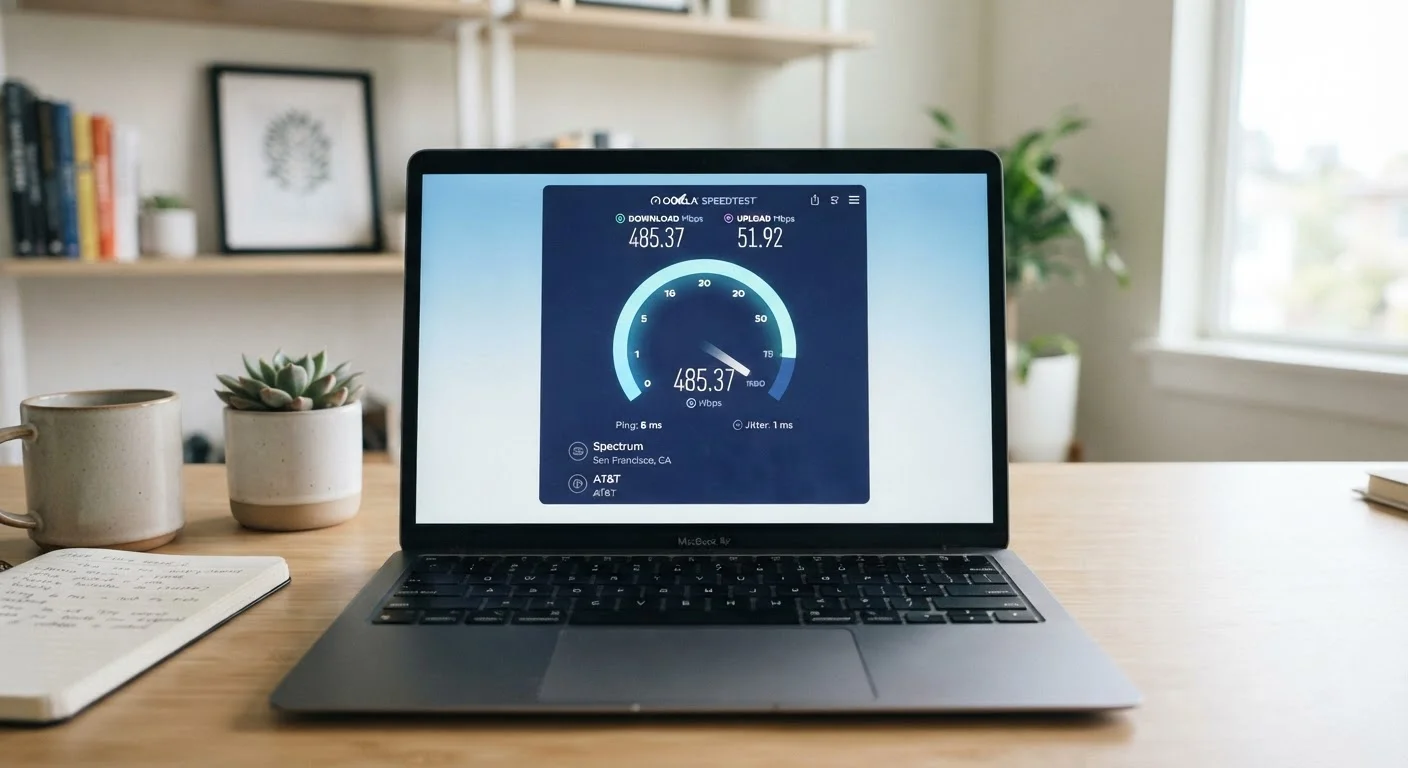
Jitter is the variation in latency over time. Inconsistent latency - even if the average is reasonable - creates choppy audio and video. Both metrics are visible in most speed test tools. If your connection feels unreliable despite reasonable Mbps numbers, latency and jitter are worth investigating. Running a proper speed test can surface these hidden issues alongside raw throughput figures.
Test Latency, Not Just Speed
When evaluating your current plan or comparing options, run a speed test that reports latency and jitter alongside download and upload figures. Free tools such as Speedtest.net and Fast.com surface these metrics. If your latency consistently exceeds 50-80 ms on a wired connection, that may explain responsiveness issues more than your Mbps figure does.
Matching Speed to Your Actual Household Needs
ISP marketing often pushes consumers toward higher-tier plans than their usage requires. The practical approach is to count your household's simultaneous peak-demand activities and build from there.
A single-person household that streams, browses, and video calls can generally function well in the 50-100 Mbps range. A family of four with overlapping streams, gaming, and remote work may benefit from 200-500 Mbps. A plan exceeding 500 Mbps rarely offers tangible gains for typical residential use - the limiting factor usually shifts to Wi-Fi signal strength, device capability, or the speed of the remote server being accessed.
Also consider data caps, which can restrict your effective throughput even on a high-speed plan once a monthly threshold is crossed. And be aware that network congestion - particularly during peak evening hours - can compress real-world speeds regardless of your plan tier, a pattern explained in detail in our article on why internet slows down at night.
Understanding Mbps, upload speed, and latency as three distinct dimensions - rather than a single speed figure - gives you a clearer picture of what any internet plan will actually deliver day to day.
A family streams 4K movies on two TVs while a teenager plays an online game and a parent takes a video call - all at the same time.
A remote worker uploads large video files to a cloud drive throughout the workday on a cable plan advertised as 400 Mbps.
A gamer notices lag and dropped connections despite a 200 Mbps internet plan.