
Modem vs. Router vs. Gateway: What Each Device Does and Whether You Need Your Own

| Typical ISP equipment rental fee | $10-$20/month (Range commonly observed across major U.S. cable and fiber ISPs) |
| Current cable modem standard | DOCSIS 3.1 (CableLabs specification) |
| Fiber hardware typically replaceable by consumer | Router only (ONT is ISP-supplied) (Standard fiber ONT deployment practice) |
| Fixed wireless / satellite hardware ownership | ISP-supplied antenna or dish required (Applies to most major U.S. fixed wireless and satellite providers) |
| Typical break-even for owned modem | 12-24 months (Based on $10-$20/month rental vs. $120-$200 modem retail price) |
| Wi-Fi standard in new routers (2024) | Wi-Fi 6 / Wi-Fi 6E (Wi-Fi Alliance) |
The Three Devices, Defined
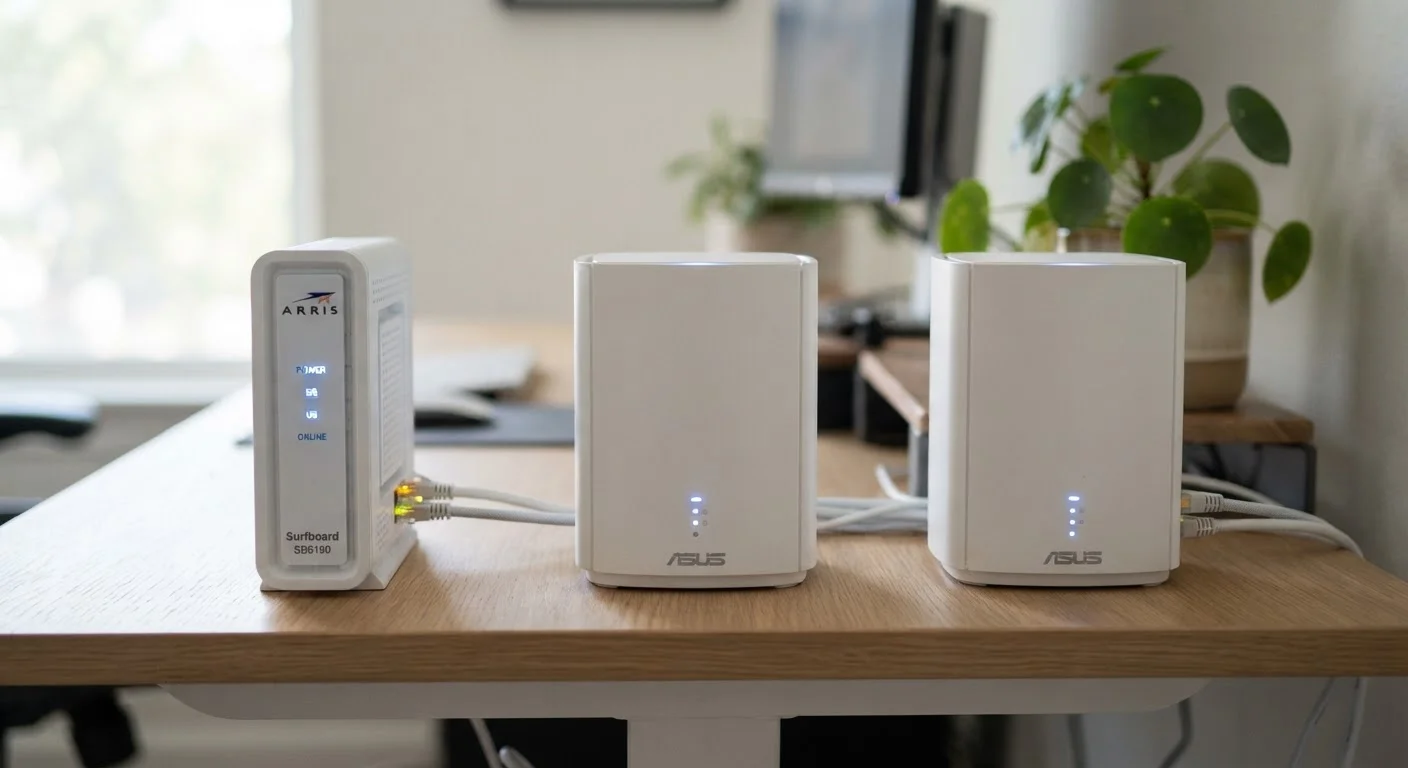
Home internet setups almost always involve at least one of three devices: a modem, a router, or a gateway. ISPs often use these terms loosely, which creates confusion when you're trying to decide whether to rent their equipment or buy your own.
Modem
A device that connects your home to your ISP's network by converting an incoming signal (cable, phone line, or fiber) into a usable internet connection. The word stands for modulator-demodulator.
Router
A device that directs internet traffic between your modem and the devices in your home. It also creates your local Wi-Fi network and assigns IP addresses to each connected device.
Gateway
A single device that combines the functions of a modem and a router. ISPs frequently supply a gateway as their standard rental unit for convenience, though it offers less customization than separate devices.
DOCSIS
Data Over Cable Service Interface Specification - the technical standard that governs how cable modems communicate with cable ISP networks. DOCSIS 3.1 is the current generation, supporting multi-gigabit speeds.
ONT (Optical Network Terminal)
A device installed by fiber ISPs that converts fiber-optic light signals into a standard Ethernet signal your router can use. The ONT is typically provider-owned and not replaceable by the consumer.
Wi-Fi 6 (802.11ax)
The current mainstream Wi-Fi standard, offering improved speeds, better performance in congested environments, and more efficient handling of multiple simultaneous device connections compared to Wi-Fi 5.
Here's the functional breakdown:
- Modem: Connects your home to your ISP's network by translating the incoming signal - whether coaxial cable, phone line, or fiber - into a format your home devices can use. Without a modem (or its equivalent), your home has no link to the outside internet.
- Router: Manages traffic between devices inside your home and directs them to the internet through the modem. It assigns local IP addresses, enables Wi-Fi, and provides basic firewall protection.
- Gateway: A single unit that combines modem and router functions. ISPs commonly supply a gateway as their standard rental equipment. Convenience is the main selling point; flexibility is the trade-off.
For a deeper look at how your connection type affects which hardware you need, see our guide to fiber, cable, DSL, and satellite internet.
How Connection Type Affects Your Equipment Options
Not every modem works with every ISP or every type of internet service. The technology your provider uses determines which hardware is compatible - and in some cases, whether you can own your equipment at all.
| Typical ISP equipment rental fee | $10-$20/month (Range commonly observed across major U.S. cable and fiber ISPs) |
| Current cable modem standard | DOCSIS 3.1 (CableLabs specification) |
| Fiber hardware typically replaceable by consumer | Router only (ONT is ISP-supplied) (Standard fiber ONT deployment practice) |
| Fixed wireless / satellite hardware ownership | ISP-supplied antenna or dish required (Applies to most major U.S. fixed wireless and satellite providers) |
| Typical break-even for owned modem | 12-24 months (Based on $10-$20/month rental vs. $120-$200 modem retail price) |
| Wi-Fi standard in new routers (2024) | Wi-Fi 6 / Wi-Fi 6E (Wi-Fi Alliance) |
- Cable internet: Uses DOCSIS-standard cable modems. Most major cable ISPs maintain a list of approved third-party modems you can purchase. DOCSIS 3.1 is the current standard and supports gigabit speeds.
- DSL: Requires a DSL modem, sometimes called a DSL gateway. Compatible third-party devices exist but compatibility varies significantly by provider.
- Fiber (ONT-based): The ISP typically installs an ONT - a wall-mounted device that converts fiber-optic light signals into an Ethernet signal. In this setup, you can often use your own router; the ONT itself is generally provider-supplied and not replaceable by the consumer.
- Fixed wireless and satellite: Hardware (the antenna or dish) is nearly always ISP-supplied and required. You can typically add your own router behind it.
Understanding these distinctions matters before you spend money on hardware. Check your ISP's approved device list before purchasing any modem or gateway.
Renting vs. Owning: What to Weigh
ISPs charge a monthly equipment rental fee - commonly ranging from roughly $10 to $20 per month - for a gateway device. Over time, those fees can exceed the purchase price of a comparable third-party device, often within 12 to 24 months. That said, owning your own equipment isn't always the right call.
ISP Support Boundaries When You Own Equipment
If you use your own modem or router, most ISPs will only support their side of the connection - meaning the signal up to the point where their network ends. Any issues originating from your owned hardware become your responsibility to troubleshoot. This is a genuine consideration for households that want hands-off technical support included with their service.
Reasons to consider owning your modem or router:
- Eliminates the recurring rental fee once the purchase cost is recouped
- You choose the Wi-Fi standard and feature set (e.g., Wi-Fi 6 support, parental controls, mesh networking)
- Equipment is yours if you switch providers - assuming the new ISP's network is compatible
Reasons the rental may still make sense:
- ISPs replace rental equipment at no additional cost if it fails or becomes outdated
- Troubleshooting support is included - if you own your device and have connectivity issues, the ISP may decline to assist beyond the point where their network ends
- Some ISP plans bundle equipment at no disclosed separate charge, making the comparison less straightforward
Before signing any service agreement, read the equipment terms carefully. Our overview of ISP contract fine print explains what to look for before you commit.
Practical Steps Before You Decide
A few targeted steps can save you money and prevent compatibility headaches:
- Confirm your connection type. Ask your ISP whether they use coaxial cable, DSL, ONT-based fiber, or something else. This tells you immediately which hardware categories are relevant.
- Check the approved device list. Cable ISPs in particular maintain published lists of certified modems. Purchasing an unlisted device may result in activation problems or degraded performance.
- Calculate the break-even point. Divide the retail price of a compatible modem or gateway by your ISP's monthly rental fee. That's roughly how many months until ownership pays off - assuming no hardware failure or ISP switch.
- Consider your router separately. Even if you own a modem, a capable standalone router - especially one with Wi-Fi 6 or mesh capability - can meaningfully improve coverage in larger homes. Treating the modem and router as separate purchasing decisions gives you more flexibility.
- Factor in future ISP changes. If you're likely to switch providers, confirm whether your owned equipment would be compatible with alternative ISPs in your area. See our walkthrough for switching ISPs for what to plan ahead.
First-time renters setting up home internet for the first time can also find practical guidance in our setup guide for renters.