

Key Takeaways
Smart Home Protocol
A smart home protocol is a communication standard that devices use to send signals to each other - things like "turn on," "lock the door," or "set the temperature to 68°F." Different protocols use different wireless technologies and speak different languages, which is why a device built for one standard may not work with a hub built for another. Understanding the basics helps you avoid buying devices that can't talk to each other.
Protocols operate at different layers: some define the radio frequency used (like Zigbee's 2.4 GHz mesh), while others define the application layer that carries commands (like Matter, which can run over Wi-Fi, Thread, or Ethernet).
Why Compatibility Is the First Question to Ask
Smart home products are marketed on features - motion detection, voice control, energy savings. But the question that determines whether any of that actually works in your home is simpler: which protocol does this device use?
A protocol is the communication standard a device uses to send and receive commands. When two devices share a protocol, or connect through a hub that speaks both languages, they can coordinate automatically. When they don't, they operate as isolated islands no matter how advanced their individual features are.
This is why a shopper can end up with a smart thermostat, a set of smart bulbs, and a motion sensor that each work perfectly on their own - but can't trigger a single automated routine together. Understanding protocols before you buy prevents that frustration. It also connects directly to your home network setup; see our guide on modems, routers, and gateways to understand the foundation every smart device relies on.
300M+
Smart home devices shipped globally per year
Industry analysts estimate annual global smart home device shipments have surpassed 300 million units, reflecting how mainstream the category has become.
3+
Average protocols in a typical smart home
Homes that mix devices from different brands commonly end up running three or more separate protocols, according to smart home platform research.
600+
Matter-certified device types available
As of mid-2024, the Connectivity Standards Alliance reported more than 600 Matter-certified product types from participating manufacturers.
The Major Protocols - and What Distinguishes Them
Wi-Fi
Wi-Fi-based smart devices connect directly to your home router using the same network your phone and laptop use. Setup is usually straightforward, and no additional hub is required. The trade-off: each device adds load to your router, and if your Wi-Fi goes down, so does device control. Wi-Fi also consumes more power, making it less suitable for battery-operated sensors.
Zigbee
Zigbee devices communicate with each other using low-power radio signals on the 2.4 GHz band - separate from your Wi-Fi traffic. They form a mesh network, meaning each device can relay signals to extend coverage. Zigbee requires a compatible hub to connect to your broader home network or the internet.
Z-Wave
Z-Wave operates similarly to Zigbee - mesh networking, hub required, low power - but uses a different frequency (around 900 MHz in the US), which reduces interference from Wi-Fi and other 2.4 GHz devices. Z-Wave devices are certified to a single standard, which can reduce compatibility issues between manufacturers.
Bluetooth and Bluetooth Mesh
Standard Bluetooth is useful for short-range devices (smart locks, speakers, proximity-based sensors) but doesn't scale well across a whole home. Bluetooth Mesh extends the range by letting devices relay signals to each other, similar to Zigbee, though it's less widely used in residential smart home products.
Thread and Matter
Thread is a newer mesh networking protocol designed for smart home devices - low-power, IP-based, and resilient. Matter, meanwhile, is an application-layer standard that can run over Thread, Wi-Fi, or Ethernet. Its significance is that it's designed to let devices from different brands and ecosystems work together using a shared language. Matter-certified devices should, in principle, work with any Matter-compatible hub or platform.
A homeowner buys a set of smart bulbs that use Zigbee and a smart thermostat that connects via Wi-Fi, then tries to link them through a hub that only supports Z-Wave.
A renter installs a Matter-certified smart lock and a Matter-certified smart doorbell from two different manufacturers.
A household adds fifteen Wi-Fi smart plugs to monitor and control appliances throughout the home.
A homeowner installs a Z-Wave smart door lock at the front of a large house, with the hub located far away in a central room.
Hubs, Bridges, and Why You May Need One
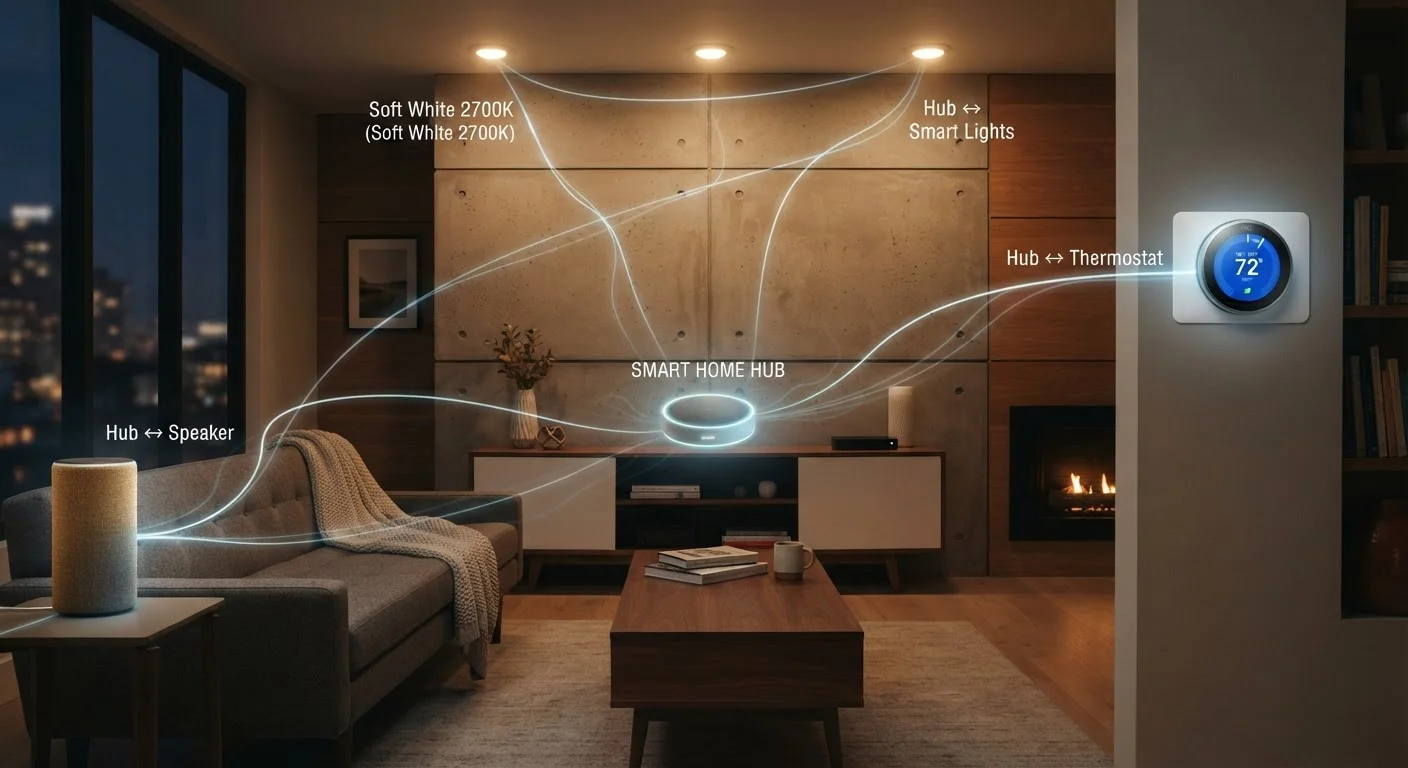
A hub (sometimes called a bridge or controller) is a device that speaks multiple protocols and connects your smart home devices to each other and to the internet. Without a hub, Zigbee and Z-Wave devices typically can't be controlled remotely or integrated into voice assistant routines.
Some smart speakers and displays have hub functionality built in, supporting certain protocols natively. Others require a standalone hub. Before purchasing either a hub or individual devices, verify which protocols each supports - not all hubs support all protocols, and adding one that doesn't match your devices won't solve the compatibility problem.
Write Down Your Protocol Mix Before You Buy
Before adding any new smart home device, note which protocols your existing devices and hub already support. A simple list - even on paper - helps you quickly spot whether a new purchase will integrate or create an isolated silo. This one habit prevents most compatibility headaches.
If you're also thinking about the security implications of adding more connected devices to your home network, our article on keeping your connected devices secure at home is a useful companion read.
Practical Guidance: Building a Coherent Smart Home
Most compatibility issues come from mixing ecosystems without a clear plan. Here's a practical framework:
- Choose a primary platform first. Decide which voice assistant or app ecosystem you want to center on, then verify which protocols it supports natively.
- Check the protocol before every purchase. The protocol is usually listed in product specifications, not on the front of the box. Look for it in the app compatibility section or the technical details.
- Prefer Matter-certified devices when they're available. This doesn't guarantee perfect interoperability with everything, but it meaningfully reduces the risk of being locked into a single brand's ecosystem.
- Account for your router's capacity. If you're adding many Wi-Fi-based devices, your router may become a bottleneck. Understanding home internet infrastructure can help you assess whether your current setup is adequate.
- Test one device before committing to an entire line. Compatibility claims are sometimes imprecise. Verifying that a single device works as expected in your setup before buying multiples is a low-cost way to avoid larger mistakes.
Smart home technology can meaningfully improve convenience and energy awareness - but only when devices can actually communicate. The protocol question, asked early, makes everything else easier.
“The promise of the smart home has always been interoperability - devices that work together regardless of brand. The industry is getting closer to delivering on that, but consumers still need to verify compatibility rather than assume it.”
— Connectivity Standards Alliance, Industry body overseeing the Matter smart home standard